How to Protect Your Primary Email From Data Breaches
Your primary email address is more than just a place to receive messages — it's often the master key to your entire digital life. It's linked to your bank accounts, social media, cloud storage, and password reset flows for nearly every service you use. When it's exposed in a data breach, the consequences can ripple far beyond a full inbox. Here's how to keep it protected.
Why Your Primary Email Is a High-Value Target
Every account you own is connected, directly or indirectly, to your email. If someone gains access to your inbox, they don't just read your messages — they can reset passwords, impersonate you, and work their way into accounts you thought were secure. This is why cybersecurity experts consistently rank email protection as one of the highest-priority habits for anyone active online.
1. Stop Using Your Primary Email for Everything
The single biggest mistake people make is handing out their real email address to every website, app, and newsletter they encounter. Each sign-up is a potential leak point — if that service is breached, your email (and often your password) ends up in a database that gets sold or leaked publicly.
A simple habit that helps: reserve your primary email for accounts that matter — banking, work, close contacts — and use a temporary or secondary address for one-time sign-ups, free trials, and services you're just testing out.
2. Use Strong, Unique Passwords for Every Account
Reusing passwords means that a breach on one low-priority site can compromise your email and everything connected to it. Use a password manager to generate and store long, unique passwords for each account, so a single leaked password doesn't become a master key to your digital identity.
3. Turn On Two-Factor Authentication (2FA)
Even a strong password isn't enough on its own. Two-factor authentication adds a second layer — usually a code sent to your phone or generated by an authenticator app — so that a stolen password alone isn't enough to break into your account. Enable it wherever it's offered, especially on your email provider itself.
4. Check Whether Your Email Has Already Been Exposed
Several reputable, free tools let you check if your email address has appeared in a known data breach. Running a periodic check takes seconds and can alert you early if your credentials have been exposed, giving you a chance to change passwords before anyone exploits the leak.
5. Be Skeptical of Unexpected Emails
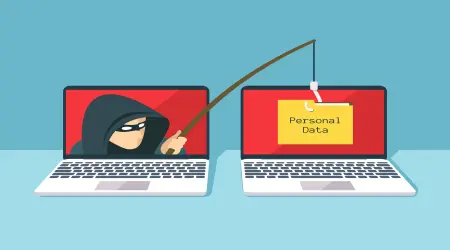
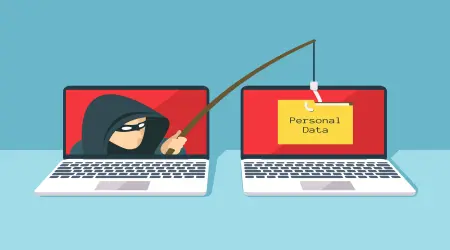
Phishing emails are one of the most common ways attackers gain access to accounts in the first place. Be cautious of messages that create urgency ("your account will be suspended"), ask you to click a link to "verify" your information, or come from addresses that look almost — but not quite — like a company you recognize. When in doubt, go directly to the official website instead of clicking a link in the email.
6. Keep Your Recovery Information Up to Date
Make sure your account recovery options — a secondary email, a phone number — are current. If you ever lose access to your primary inbox, outdated recovery information can turn a stressful situation into a permanent lockout.
7. Use Disposable Emails as a First Line of Defense
For anything that doesn't need long-term access — downloading a free resource, testing a new app, signing up for a one-time offer — a temporary email address keeps your real inbox out of the equation entirely. If that service is later breached or starts sending spam, none of it touches your primary account.
The Bottom Line
Protecting your primary email isn't about one single action — it's a combination of habits: limiting who has your real address, securing it with strong authentication, staying alert to phishing attempts, and using disposable addresses for anything temporary. Small changes today can save you from a much bigger headache down the line.